Controls & HUD in +1 Speed or DIE!
Learn movement, menus, race cues, and monster chase readouts so every second goes into Speed—not fumbling UI.
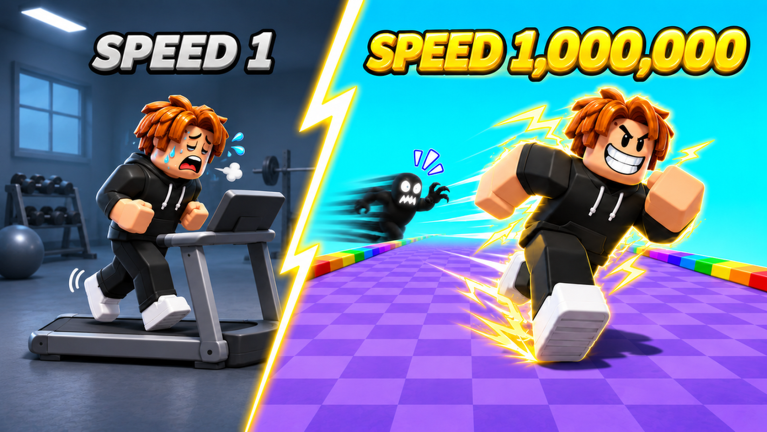
Why controls matter in a Speed race
+1 Speed or DIE! by Super Fast Gaming looks simple until a round starts and you are still rotating the camera while the monster closes. Servers hold up to 10 players. The loop is train on treadmills → race the course → outrun the monster → earn Cash and Wins → buy trails and upgrades → unlock scarier worlds. Clean inputs and a readable HUD turn that loop into progress instead of panic.
Brand-new accounts should skim Getting Started first. This page is the control surface: how you move, where pads live, what each menu is for, and how race / chase feedback looks on PC and mobile.
Movement basics (PC and mobile)
PC keyboard and mouse
- WASD (or arrow keys, depending on your Roblox settings) move your avatar.
- Mouse look aims the camera; scroll adjusts zoom if your settings allow it.
- Jump with Space when a course needs a short hop—do not spam jump on flat pads.
- Sprint / walk behavior follows Roblox defaults; in this game your Speed stat is what carries races, not holding a shift key forever.
Stay oriented toward the course exit the moment a round cue appears. Rebinding in Roblox settings is fine if WASD fights your muscle memory, but learn one layout and stick to it.
Mobile thumbstick and camera
- Left thumbstick walks; right-side drag turns the camera.
- Pinch or use on-screen zoom if the treadmill area feels cramped.
- Keep thumbs free when a race starts—do not open the shop mid-countdown on a tiny screen.
- If UI buttons cover the stick, lower graphics clutter in Roblox settings so you can see pad edges and chase markers.
Mobile players lose races more often from camera lag than from missing Speed. Practice one clean thumb path from pad → course start before you grind long sessions.
Finding treadmills and reading Speed ticks
- Spawn and look for the training / pad area—not the shop first.
- Step onto a treadmill and watch the HUD Speed value rise.
- If it does not tick, you are off the pad, on the wrong prop, or the round already pulled you into race mode.
- Prefer an open pad. Fighting over one “best” machine in a 10-player server wastes ticks.
Deep pad rhythm lives in How to Train Speed. Controls takeaway: confirm the tick, then stay put until the race cue forces a decision.
Shop, trails, and purchase UI
Open the shop when you are between races—not while the monster is mid-chase.
Typical jobs of the menus:
| Menu / panel | Use it for |
|---|---|
| Trails / Speed shop | Permanent Speed and training multipliers |
| Cash / Coins views | Confirm you can afford the next planned buy |
| Pass / product prompts | Optional Robux: 2x Speed, 2x Cash, 2x Coins, packs, Vault, etc. |
| Codes / Gift entry | Redeem only when a real drop exists |
Spend order should follow the trails tier list and game passes, not whatever particle looks loudest. Cosmetics that do not raise Speed can wait. World gates need a Cash buffer—see Unlock Worlds and Farm Cash & Wins.
Close the shop the second you buy. Every second in menus is a second not on a pad.
Race round cues
When a race round begins you should see clear countdown or course-start feedback on the HUD. Treat it as a hard interrupt:
- Leave the treadmill with intention.
- Face the course entry; do not spin for selfies.
- Move early—hesitation feeds the monster.
- Keep camera slightly ahead of your avatar so turns do not surprise you.
If you are under-Speed for the current world, you still race to learn the line, then return to pads. Pure AFK through rounds skips both Cash and course memory. Race craft details: Outrun the Monster.
Monster chase HUD
During the chase, prioritize:
- Your position on the course relative to the monster pressure
- Forward path clarity (walls and dead ends kill more accounts than “low Speed” excuses)
- Any finish / survival feedback when you clear the round
Do not open trails UI mid-chase. Do not stop to read chat. Survive first; shop later. After a death, note the Speed you had and train past that breakpoint before the next serious attempt.
Cash and Wins readouts
Cash funds trails, upgrades, and world gates. Wins track successful race outcomes and mark progress. After each round, glance at both:
- Cash up + Win → decide one planned purchase or bank for a gate
- No Cash bump → you likely failed the chase or never contested the round
Income strategy is covered in Farm Cash & Wins. Controls habit: read the numbers once, then either buy or train—no lobby dancing.
What each menu is for (quick map)
- Training pads — raise Speed; your real skill ceiling
- Shop / trails — convert Cash into permanent power
- Race / course — convert Speed into Cash and Wins
- World unlock — spend reserved Cash to face scarier monsters
- Codes — occasional free gifts when Super Fast Gaming posts a string; see Codes Hub and how to redeem. As of late November 2026 there are no verified public active codes
- Players / group context — Super Fast Gaming group links via Players Hub
- Scripts curiosity — read Scripts Hub for safety; there are no verified public scripts for this game, and random executors are a ban/malware risk
Full site map: Wiki overview. Patch notes: Updates Hub.
Pad etiquette in a 10-player server
- One avatar, one pad. Do not body-block multiple treadmills.
- If someone is already ticking Speed, take the next free machine.
- Leave promptly when the race starts so others can path to the course.
- Do not stand AFK across two pads “saving” them for friends.
Good etiquette keeps the server trainable. Bad etiquette makes everyone slower—including you when pads are contested.
PC vs mobile tips that actually matter
PC: Higher FOV and mouse aim make course lines easier. Use that advantage to learn routes, then push Speed. Bind nothing that opens shop on an accidental key during races.
Mobile: Lower visual noise, larger touch targets if available, and shorter shop sessions. Train in focused blocks; long AFK on mobile disconnects often.
Both platforms: when lag spikes, stop buying and stabilize—laggy purchases and panic jumps stack with the monster.
Common control failures (and fixes)
| Failure | Fix |
|---|---|
| Camera stuck on shop after buy | Close UI before round cue |
| Walking off pad without noticing | Watch Speed tick every few seconds |
| Mobile thumb covers jump | Reposition UI; practice start path |
| Opening codes mid-race | Redeem only between rounds |
| Blocking pads | One pad; see Common Mistakes |
Session warm-up (two minutes)
- Confirm movement and camera feel normal.
- Step on a pad; verify Speed ticks.
- Open shop once; locate your planned trail; close it.
- Face the course entry and wait for the next cue.
That warm-up prevents the classic “I had Speed but died because I was in a menu” death.
Related pages
- Guides Hub
- Getting Started
- Train Speed
- Outrun the Monster
- Farm Cash & Wins
- Unlock Worlds
- Common Mistakes
- Beginner Buys tier list\n- Trails tier list
- Game passes
- Updates
Learn the sticks, trust the HUD, leave menus for the lobby. Speed wins chases—controls decide whether that Speed ever reaches the course.
Frequently Asked Questions
Quick answers to the most common questions.
What keys do I use to move in +1 Speed or DIE!?
On PC use WASD (or arrows) plus mouse look. On mobile use the left thumbstick and drag to turn the camera. Your Speed stat—not a separate sprint key—carries races.
How do I know a treadmill is working?
Stand on the pad and watch the HUD Speed value tick upward. If it stays flat, you are off the pad or already in a race round.
Should I open the shop during a monster chase?
No. Shop between rounds only. Mid-chase menus cost positioning and often the Win.
Where do Cash and Wins show up?
On the HUD after races. Cash funds trails and world gates; Wins mark successful clears. Read them once, then train or buy with a plan.